Turn chat exports into private, shareable conversation insights
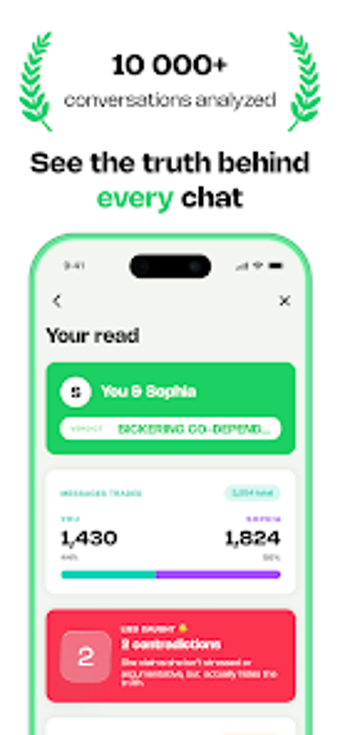
The Cringe: Chat Wrapped from Vaste Company converts exported messaging logs into visual summaries that highlight communication patterns. It ingests text-based exports such as .txt and .zip from popular services and produces activity heatmaps, word clouds, emoji tracking, and interaction metrics. Processing happens locally on Android devices to protect privacy. Social media fans and casual analysts get quick, shareable reports that spotlight who talks most and when conversations peak.
Processes sensitive chat files entirely on the device
Local processing is the app’s central privacy promise, the application analyzes chat exports without uploading them to external servers. That design choice removes network transfer of conversation data and keeps analysis confined to the phone. For users concerned about leaks, this means generated reports and intermediate parsing files remain on-device, aligning with the stated policy that chat data is not sent off the Android device.
Performance impact depends on file size and device capacity
The Cringe runs analysis on Android hardware, so CPU and memory usage scale with the exported chat file size and complexity. Large group exports or chats that include long histories take longer to parse. For predictable performance, open plain-text exports and run the app when the device is idle; this reduces contention with other apps and avoids unexpected slowdowns during interactive use.
Designed for casual use, with simple step-based workflows
The interface reduces the technical steps required to create a report, guiding users through importing a chat export and producing a wrapped-style summary. The presentation is gamified to encourage social sharing, which matches the target audience of social enthusiasts. Non-technical users can complete the core flow without deep knowledge of file formats, because the app accepts common export containers and handles parsing automatically.
Better suited to social insights than forensic analysis
Cringe supports exports from mainstream messaging services and both one-on-one and group chats, but the quality of its output depends on what the messaging app includes in its export. Analysts seeking raw evidence recovery or exhaustive metadata should note the app focuses on conversational patterns and visual summaries rather than forensic-grade extraction tools.
Practical choice for privacy-minded social users, with a caution
Cringe is a practical option for social users who want quick, privacy-preserving summaries of their conversations, but its usefulness depends on what the messaging app includes in its export. Tip: export chats without media to speed parsing and run reports during idle hours to limit device load. In sum, it serves casual analysts and sharers rather than professional investigators.
Pros
Performs all analysis locally, preventing chat uploads
Accepts common text-based exports (.txt, .zip) from messaging apps
Produces shareable visuals: heatmaps, word clouds, emoji counts
Handles individual and group chat exports for collective stats
Cons
Analysis quality depends on messaging app export content
Requires manual export from the messaging app before use
Not intended for forensic-level data extraction or metadata recovery
Loading…
About permissions
Before downloading, you can take a quick look at the permissions this app may request on your device. App permissions allow certain features to work properly, such as accessing your camera to take photos, your location for maps, or your storage to save files.
In this section, you’ll find a clear and simple overview of the types of permissions the app uses, grouped by their level of sensitivity, along with a visual breakdown to help you understand them at a glance. This way, you can see how the app interacts with your device and decide to download with confidence.
Permissions types
Standard
100%
Permissions distribution
Data collected
50%
Data shared
50%
Data safety info
Data collected
1 permissions
Information the app may gather from your device or usage activity to enable features, personalize content, and improve overall performance.
android.permission.ACCESS_NETWORK_STATE
Standard
Data shared
1 permissions
Information that may be shared with trusted third parties to provide services, support app functionality, or deliver relevant content.
android.permission.INTERNET
Standard
This report summarises the permissions declared by the app at the time of scanning and groups them into Privacy, Data collected and Data shared. A declared permission shows what the app can access, it does not necessarily mean personal data is collected or transmitted. For full details check the app’s privacy policy and the developer’s clarifications shown below. Softonic generates this report automatically from the package metadata; it is informational and not a substitute for a full security or privacy audit.
Laws concerning the use of this software vary from country to country. We do not encourage or condone the use of this program if it is in violation of these laws. Softonic may receive a referral fee if you click or buy any of the products featured here.